
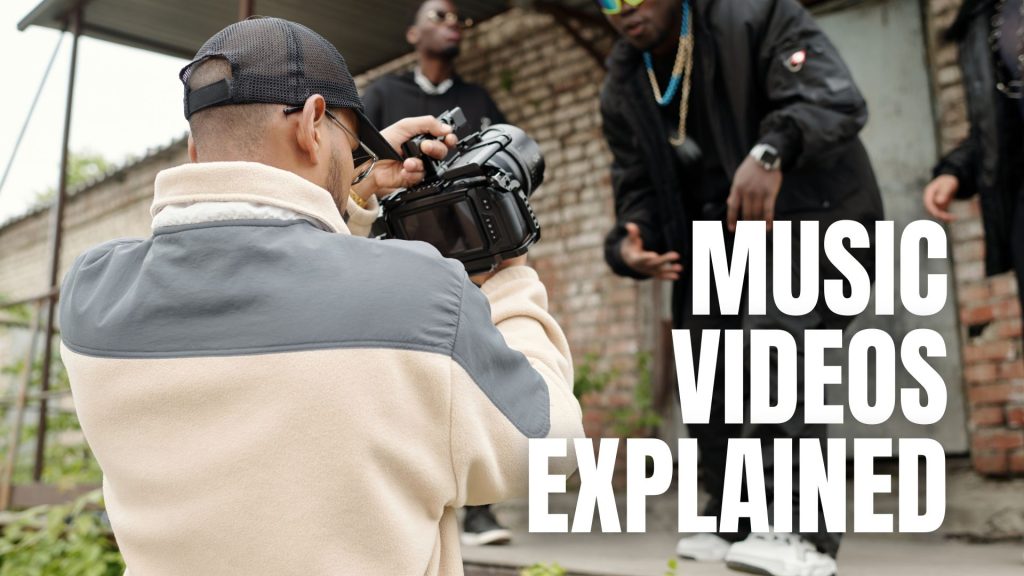
We’ve distributed hundreds of music and lyric videos for our artists over the years, so it stands to reason that we know a fair bit about it!
With that in mind, we’ve created a quick cheat sheet on putting your music videos together and are ready to distribute to DSPs with Horus Music.
If you need immediate support or advice, get in touch with one of the team on 0116 253 0203 or email us at al*@***********co.uk
Music videos on VEVO YouTube
YouTube is typically the first port of call when it comes to listening, watching and uploading music or lyric videos.
In one way or another, you may have come across other musicians who have VEVO channels with their music on them.
VEVO has partnered with YouTube, so a VEVO channel is visible on the platform, this allows more artists to utilise the platform and helps give their music more exposure and adds credibility.
Here at Horus Music, we offer a VEVO channel video distribution package that gives you an easy route to creating your own VEVO channel for a one off free, after that, artists will receive 100% of all royalties earned, and distribution of their first video. Within this package, we also offer a customisation of your channel on YouTube.
If you already have a VEVO channel, we are still able to distribute your video to it.
VEVO channels can also be linked to existing Official Artist Channels on YouTube – doing this connects all your music and videos on YouTube to one hub for your fans to follow you on. However videos can still be uploaded and monetised through VEVO, they will just appear as a new video upload when it goes live!
VEVO Channel Specifications
When we set up your VEVO channel, we will require some additional information to ensure that it’s set up correctly. For example, we will need your artist name, which will be what users see when they search for your music or videos.
Your channel name needs to be the same as your performing artist name, and must not exceed sixteen characters in length.
Note: VEVO does not accept channels for recording labels or companies.
We also require you to send the usual information about your release, for example,
- Your release name
- Video release date
- Copyright information
File size
Through your VEVO channel, you are able to add your own customised artist images for your channel.
If you’d like to add these, ensure that they are JPEGs with no text and 5000x5000pixels in size with a resolution of 300DPI.
Additionally, if you would like to add a banner to your channel, this should be a minimum of 2560×1440 pixels.
For your artist and banner images, send these over to us on al*@***********co.uk along with the channel you want them to appear on.
For video files, please ensure that they are .mp4 HD video files. They should also be 1920×1080 pixels with no letter boxing or text overlays (unless your video is a lyric video).
You should also ensure that this is accompanied by a full-res video still that can be used as a thumbnail for your video. You should ensure that this is an accurate representation of your video content.
Music video on iTunes
Through Horus Music’s video distribution service, you are able to distribute your music videos to Apple iTunes, allowing users to purchase and download your videos.
Once your music video is live on the platform, it will appear alongside the rest of your music, and your listeners can preview the video before they decide to purchase it.
It’s worth noting that your videos need to meet a few specifications before they can be distributed to the store that are different from the VEVO specifications.
We’re going to go over the specifications shortly, but you are required to send us the video via email (al*@***********co.uk).
Note: all iTunes Videos must start on a black frame.
MPEG-2 Encode and ProRes Encode – Standard Definition
These are the file types that we require when sending videos to iTunes for Standard Definition.
MPEG-2 main profile is a file format used by broadcasters and cable-casters. BT.601 is a standard for encoding interlaced analogue video signals into digital video forms.
De-interlacing is the process of converting interlaced video, such as 1080i format HDTV signals, into a non-interlaced format.
Pixel aspects can be used to properly render digital video on screen into a new format; using different pixel aspect ratios from the original can make the image look unnaturally stretched or squashed.
MPEG-2 Encode File Requirements
- MPEG2 main profile codec.
- Must be .mpg format.
- Accepted pixel dimensions:
- – 720 x 576 (PAL)
- – 720 x 480 or 720 x 486 (NTSC)
- 4:2:0 chroma subsampling.
- Bitrate must be between 15 and 16 Mbps.
- Overall bitrate mode must be Variable (VBR).
- ITU-R BT.601 colour space.
- 15 Mbps.
- Long GOP.
- Frame rate must be 23.976, 24, 25 or 29.97 frames per second. Keep the frame rate the same as the original source.
- Must be progressive scan. Interlaced content is not accepted.
- Pixel aspect ratio must be embedded in the file to produce the desired display aspect ratio (preferably 16:9 or 4:3).
- Audio format must be MPEG-1 Layer II.
- The audio bit rate must be 384 kbps.
- Audio must be normalised to -23 LUFS
- Audio sample rate must be 48 KHz
ProRes Encode File Requirements
- Apple ProRes 422 HQ codec.
- Must be .mov format.
- Accepted pixel dimensions:
– 720 x 576 (PAL)
– 720 x 480 or 720 x 486 (NTSC)
- 4:2:0 chroma subsampling.
- Bitrate must be between 15 and 16 Mbps.
- Overall bitrate mode must be Variable (VBR).
- ITU-R BT.601 colour space.
- 15 Mbps.
- Long GOP.
- Frame rate must be 23.976, 24, 25 or 29.97 frames per second. Keep the frame rate the same as the original source.
- This file can use progressive scan or be interlaced. Some things to consider are:
- – Progressive scan is preferred, but only if the content was natively produced as such.
- – Interlaced content is acceptable if the source was interlaced and the frame rate is either 25 or 29.97 fps. The frame rate of interlaced content must not have been changed by any subsequent processing.
- Pixel aspect ratio must be embedded in the file to produce the desired display aspect ratio (preferably 16:9 or 4:3).
- The audio format must be PCM.
- Audio bit depth must be 16 or 24.
- Audio must be normalised to -23 LUFS.
- Audio sample rate must be 48 KHz or greater.
ProRes Encode – High Definition
A high definition encode for iTunes (otherwise known as ProRes encode) requires the specifications below.
- ProRes 422 HQ, ProRes 4444, or ProRes 4444 XQ
- Must be .mov file.
- YUV Sampling with chroma subsampling appropriate to the encode format.
- ITU-R BT.709 colour space.
- Must have Variable Bit Rate.
- Accepted pixel dimensions:
– 4096 x 2160 (4K – DCI 4K)
– 3840 x 2160 (4K – UHD)
– 1920 x 1080 (HD – 1080)
– 1280 x 720 (HD – 720)
- Native frame rate of the original source. Frame rate must be 23.976, 24, 25, 29.97, 30 or 60 frames per second.
- 4K videos must be progressive scan. Progressive scan is preferred for HD videos, but only if the content was natively produced for it. Interlaced content is acceptable for HD videos if the source was interlaced and the frame rate is 25 or 29.97 fps.
- Audio format must be PCM.
- Audio sample rate must be 48KHz or greater (44.1KHz is not accepted).
- Audio must be normalised to -23 LUFS
Music videos on TIDAL
TIDAL describes itself as a subscription-based music streaming service that combines lossless audio and high definition music videos with exclusive content and special features on music.
Your music video will be visible alongside your track for those who have a TIDAL subscription.
As with Apple and VEVO, TIDAL has specific requirements that need to be adhered to, please ensure that you have the correct rights to the video that you are distributing.
Note: if a thumbnail isn’t sent along with the release, a default frame 10 seconds into the video will be used, ensure you have properly completed the metadata and any additional fields that relate to your release.
Tidal Video Specifications
- Codec: H264
- Profile: High
- Pixel format: YUV420p
- Scan type: Progressive
- Frame Rate: Constant, Mid
- At least 1080px in height
- SAR: 1:1
- Bit rate: Variable, Capped to 20 Mbps
- Required Metadata
- – Artist
- – Title
- – Copyright & Publisher
- – Label
- – Genre
- – Explicit Lyrics (Y/N)
- – Release Date
- – Territories (WW for worldwide)
- Thumbnail image 1080×720 .jpg
What happens next?
Once you have uploaded and filled out the metadata for your release, our team will manually go through the release to ensure that it reaches all of the appropriate specifications, and will notify you via email if there are any issues that need to be corrected.
If you need immediate support or advice, get in touch with one of the team on 0116 253 0203 or email us at al*@***********co.uk